Skip to content
View in the app

A better way to browse. Learn more.

Modernvespa.it

A full-screen app on your home screen with push notifications, badges and more.

To install this app on iOS and iPadOS
  1. Tap the Share icon in Safari
  2. Scroll the menu and tap Add to Home Screen.
  3. Tap Add in the top-right corner.
To install this app on Android
  1. Tap the 3-dot menu (⋮) in the top-right corner of the browser.
  2. Tap Add to Home screen or Install app.
  3. Confirm by tapping Install.

Racconti di viaggio

I racconti dei viaggi degli utenti

9 files

  1. Un racconto... una Vespa ed uno strano incontro di due persone....
    • 22 Downloads
    Submitted
  2. AHIA CHE BOTTA.docx
    • 3 Downloads
    Updated
  3. Viaggiare in moto.docx
    • 9 Downloads
    Updated
  4. Una storia dedicata alla Vespa e ad una vecchia canzone... 
    Buona lettura
     
    Ropoller
    • 14 Downloads
    Updated
  5. ...storia realmente accaduta... ciao a tutti 
    • 20 Downloads
    Updated
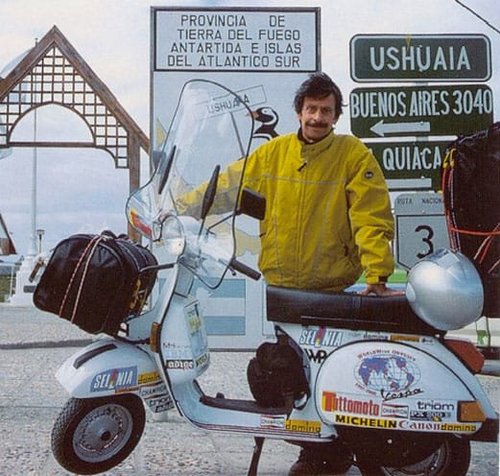
  6. La recensione dell'ultimo libro del compianto Giorgio Bettinelli, vespista che ha girato tutto il mondo. Il suo ultimo viaggio lo ha fatto in sella ad una 200 L.... Un bel tributo alle nostre due ruote. Buona lettura 
    • 20 Downloads
    Updated
  7. Una storia vera della tragica alluvione di Genova. Shikò, la mia 200 L mi ha portato sano e salvo a casa.... Attraverso un brutto momento... Diciamo pure che "tutto è bene quel che finisce bene....". 
    Buona lettura 
    Roberto "ropoller" Polleri 
    • 25 Downloads
    Updated
  8. Un secondo viaggio, successivo alla Spagna... per chi lo desidera leggere, buona lettura...................................
    • 10 Downloads
    Submitted
  9. Spero possa essere per tutti una piacevole lettura e sopratutto uno spunto interessante per qualche futuro viaggio Vespistico...
    • 20 Downloads
    Updated

Account

Navigation

Search

Search

Configure browser push notifications

Chrome (Android)
  1. Tap the lock icon next to the address bar.
  2. Tap Permissions → Notifications.
  3. Adjust your preference.
Chrome (Desktop)
  1. Click the padlock icon in the address bar.
  2. Select Site settings.
  3. Find Notifications and adjust your preference.